Faithful glass cockpits
Page groups, softkeys, and annunciations matched to the real panels pilots train on.


An unofficial G1000 NXi reimplementation — in-sim plugin or standalone PFD/MFD windows, Windows, macOS, and Linux. GTN 750 and GTN 650 are on the roadmap. Vector-first, not copied bitmaps.
Not licensed for commercial use. These public builds are free for personal sim flying, freeware aircraft, and noncommercial training only. They are not the commercial/OEM product — licensed commercial features (license-gated builds, OEM branding, and partner-specific capabilities) are missing here. Payware aircraft, for-profit distribution, or OEM use requires a commercial license.
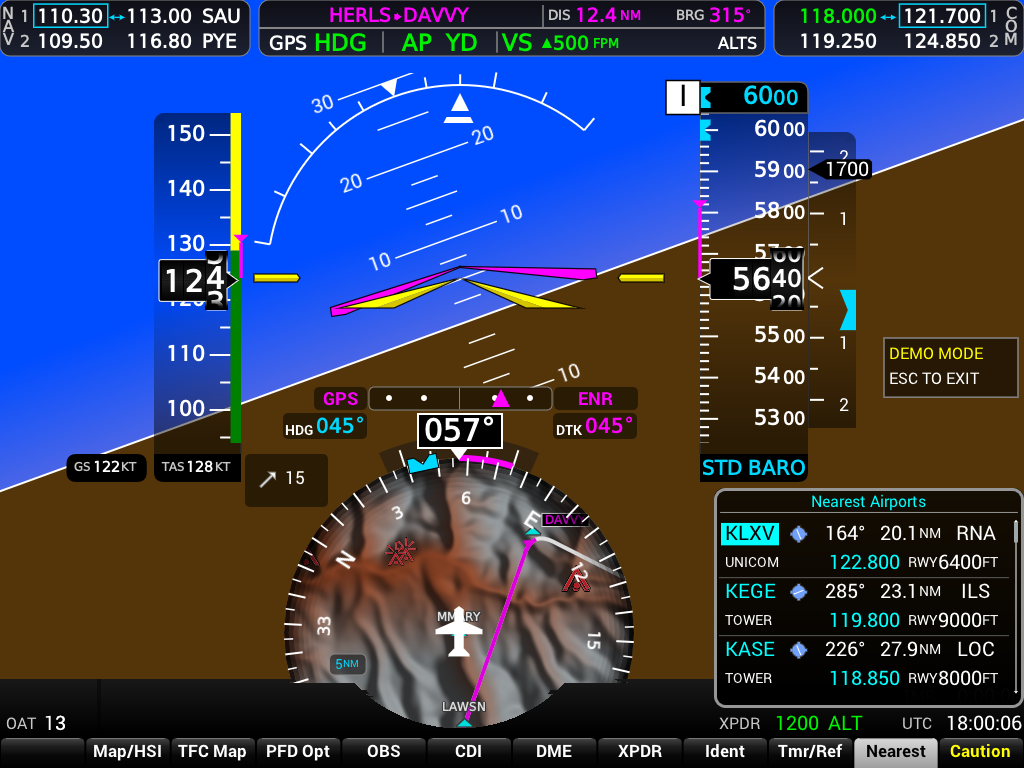
Each product is researched against public documentation and trainer references, then reimplemented with vector drawing — not copied bitmaps. See all products →
Page groups, softkeys, and annunciations matched to the real panels pilots train on.
Standalone displays sync with X-Plane's FMS over UDP — read and write routes bidirectionally.
Bind every bezel key, softkey, and knob — stock commands and dedicated xplane_avionics/* bindings.
NEXRAD and ADS-B traffic from X-Plane's GDL90 datalink — the same path as Connext or ForeFlight.
SimBrief OFP import via Navigraph — fetch your latest dispatch and activate it in the catalog or in-sim.
Drop-in checklists, EIS strips, and boot-screen hero images keyed by ICAO — no rebuild required.
Every Cockpit Vector product runs the same way — glass inside the sim, on external monitors, or both. Cockpit hardware can drive standalone displays through the command bridge.
In the cockpit
Renders natively inside X-Plane's display pass. Threaded Cairo rendering at 25 Hz with a single-quad blit on the sim thread.
External displays
Dedicated display windows at 60 fps, connected to X-Plane over UDP. Perfect for a second PC or multi-monitor cockpit.
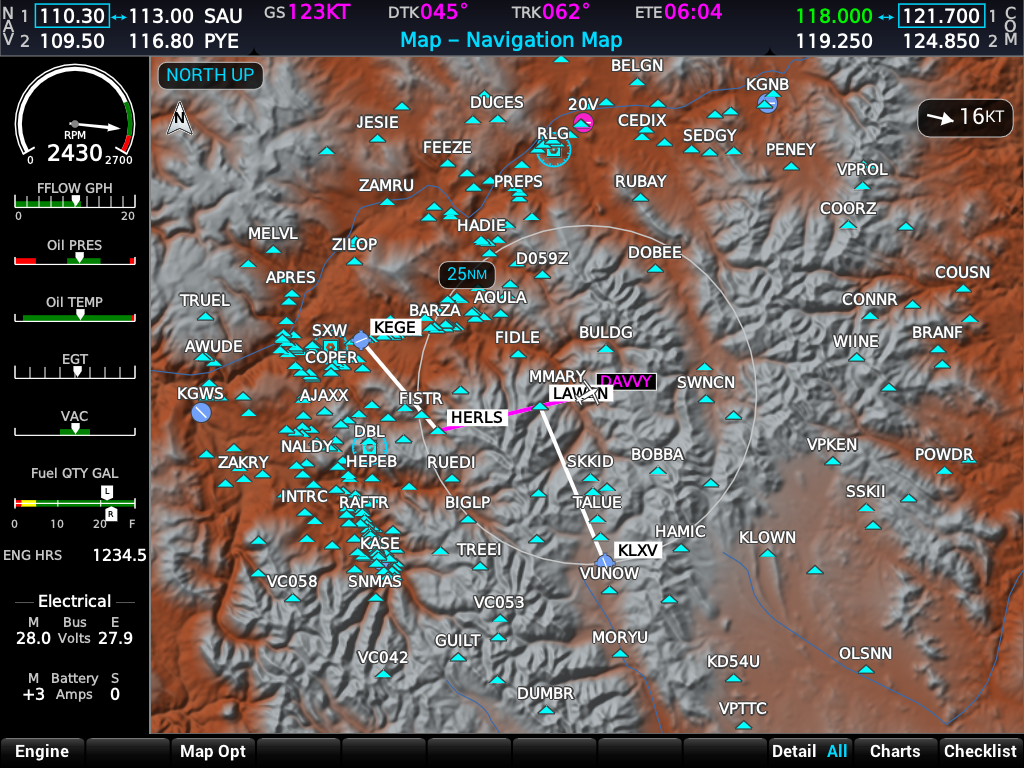
From our first product — the G1000 NXi. Captured from the standalone shell with built-in demo data and live terrain.
Cockpit Vector is mostly a one-person project with a long roadmap. I am actively looking for people who want to help — and you do not need to be a professional software engineer to matter here.
With tools like Cursor, Claude, and ChatGPT, a motivated simmer, student, or GA pilot can draft bug reports, write aircraft assets, compare against a real-world PC trainer, and even land small code changes — you describe what should happen, the agent helps with the how, and I review before anything ships.
If you can fly a procedure in X-Plane, spot when a page looks wrong next to the trainer, or write a checklist in plain English, you are already useful.
.checklist and .eis files (plain text, no rebuild)Downloads and release notes live on each product page. Start with the G1000 NXi prerelease, or browse the full lineup.
Not for commercial use. Public downloads are free under the PolyForm Noncommercial License for personal sim flying, freeware aircraft, and training. Commercial features from licensed OEM builds are not included. Payware aircraft, commercial distribution, or any for-profit use requires a separate commercial license.